
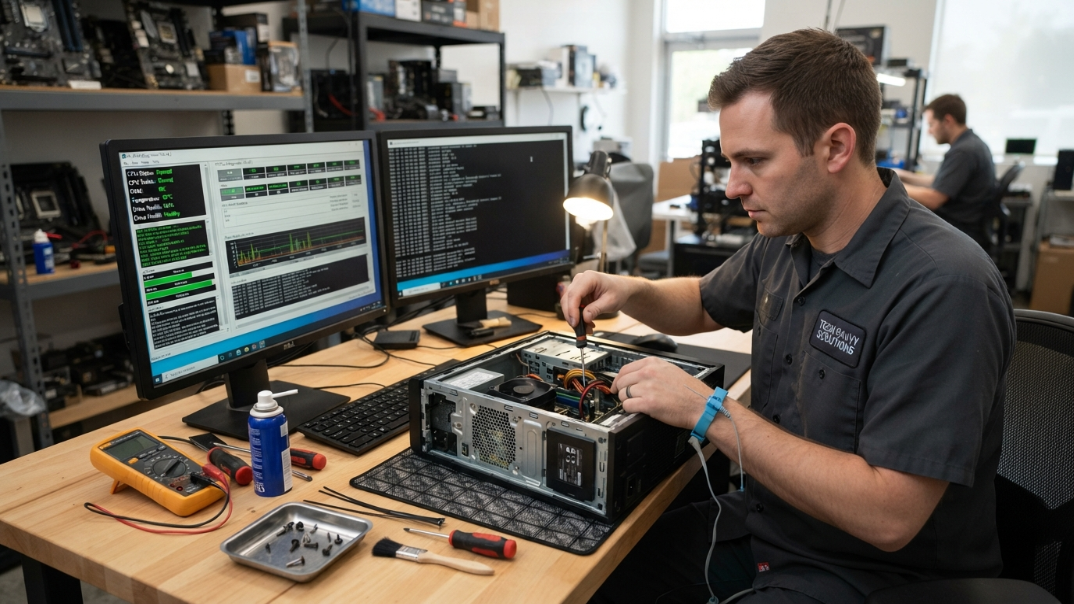
Renton's Premier Computer Diagnostics & Maintenance
Computer Diagnostics & Maintenance | Renton, WA
All-in-One Computer Care for Every User
Home Net Computers is Renton’s trusted choice for expert PC diagnostics and maintenance. As a family-operated shop, we provide personalized care for home users, gamers, and small businesses—specializing in custom gaming rigs, desktop repairs, tech tutoring, and hardware upgrades. Using top-quality components, our team catches issues early to deliver long-lasting, reliable solutions. Reach out today to keep your setup running at peak performance!
Reliable Desktop Repair Services for All
Does your desktop require expert attention? Our desktop repair services cover everything from hardware malfunctions to upgrading software. We use top-quality components to ensure long-lasting results. As a family-run operation, every repair is handled with care and professionalism. We pride ourselves on excellent customer service and a seamless experience, which begins with a friendly consultation. With us, you'll find transparent pricing and no hidden fees. Trust us to restore functionality to your desktop and enhance your computing experience!
Initial System Diagnosis & Hardware Inspection
A thorough computer diagnostic begins with a complete inspection of both hardware and system logs. Technicians run specialized stress tests on critical components like the CPU, RAM, GPU, and storage drives to identify performance bottlenecks or impending hardware failures. Thermal performance is evaluated to catch overheating caused by dust build-up or failing cooling fans. Additionally, event logs and crash dumps are reviewed to pinpoint software conflicts, blue screen errors, or corrupted system drivers. Identifying root causes early prevents sudden data loss and costly component replacements. This baseline assessment establishes a clear blueprint for all necessary repairs and optimizations.
Operating System & Software Optimization
Over time, computers accumulate unnecessary background processes, startup programs, and fragmented files that degrade overall system speed. Operating system maintenance involves auditing startup entries to accelerate boot times and disabling redundant background services. Unused applications, temporary system files, and browser caches are safely removed to reclaim valuable storage space. Important software drivers, system patches, and security updates are applied to ensure maximum compatibility and stability. Defragmenting traditional hard drives or optimizing solid-state drives restores efficient data access speeds. These software tweaks combined breathe new life into lagging hardware without requiring physical upgrades.
Malware Removal & Cyber Security Enhancement
A vital part of computer maintenance is ensuring your system is completely clean of malicious software and dynamic online threats. Comprehensive scans detect and eliminate hidden spyware, adware, viruses, trojans, and ransomware that compromise privacy and bandwidth. Security protocols are reconfigured to block unauthorized network access and secure sensitive user credentials. Antivirus definitions and firewall rules are updated to provide real-time protection against evolving web threats. Technicians also implement browser safety extensions and disable suspicious autorun entries to prevent future infections. A secure system ensures your private files remain confidential while protecting your device's overall operating speed.
Physical Cleaning & Thermal Management
Physical dust accumulation is one of the leading causes of component overheating, thermal throttling, and premature hardware failure. Internal components are carefully cleaned using compressed air and anti-static tools to remove debris from cooling fans, heatsinks, and air vents. Old, dried-out thermal paste on the processor is wiped away and replaced with a high-grade compound to maximize heat transfer. Proper cable management is restored to improve airflow throughout the computer's chassis. Power supply units and cooling fans are tested for physical wear, noise, and optimal rotational speeds. Regular physical maintenance significantly extends the lifespan of expensive computer hardware and ensures quiet operation.
Where Can I Find Reliable Computer Diagnostics And Maintenance Services In Renton?
read testimonials from satisfied clients
Our customers across the Greater Seattle Area trust Home Net Computers for fast, reliable solutions and honest service. See what real clients have to say about their experience and why they continue to choose us for their computer repair needs.
CONTACT OUR TEAM TODAY
Fill out the form below to contact Home Net Computers. We look forward to speaking with you.
Sign up to our newsletter
Frequently Asked Questions
How often should I schedule computer diagnostics and maintenance?
For standard home or office use, every 6 to 12 months is ideal. For high-performance gaming rigs or dusty environments, every 3 to 6 months helps prevent thermal throttling and hardware degradation.
What is included in a typical maintenance service?
It includes internal dust clearance, fan inspection, CPU/GPU thermal paste reapplication, drive health checks, removal of temporary clutter files, OS updates, and startup optimization.
Will diagnostic testing delete any files from my computer?
No. Diagnostic procedures and regular physical maintenance are strictly non-destructive and do not alter or delete personal files or software configurations.
How do I know if my system is overheating and needs thermal maintenance?
Signs include loud, constant fan noise, sudden shutdowns during intensive tasks, hot surfaces on laptops, or unexplained frame rate drops while gaming or rendering.
