How Do I Know If My Motherboard Is Bad? 5 Telltale Signs
August 28, 2026

Have you ever pressed your power button, only to be met with absolute, eerie silence: or worse, a chaotic loop of random reboots that leaves you staring at a blank screen in disbelief? When your computer starts acting up in mysterious ways, it’s easy to point the finger at a failing hard drive or a glitchy Windows update. But what happens when the heart of your system: the motherboard: begins to give out?


At Home Net Computer Repair, we know how stressful and disruptive tech trouble can be when you rely on your PC for work, gaming, or staying connected with loved ones. As your knowledgeable neighborhood tech experts, we believe in taking the mystery out of computer hardware. Today, we are exploring the top indicators of motherboard failure, how to diagnose them, and why you don't have to face technical headaches alone.

Explore Our Core Diagnostic Process: Is It Really the Motherboard?

Before you panic and assume your entire rig is ready for retirement, let's look at the symptoms. The motherboard connects every single component in your computer: from your CPU and RAM to your graphics card and power supply. When it fails, the symptoms can often mimic other hardware issues.


Here are the 5 telltale signs that point directly to a failing or dead motherboard:

1. Total Power Failure or Endless Boot Loops

Does your PC show absolute zero signs of life when you hit the power switch? No fans spinning, no LEDs glowing, and no diagnostic beeps? Alternatively, do your fans spin up for two seconds before the system abruptly shuts down and tries again in an endless, frustrating loop? While a faulty power supply is often the culprit here, a dead motherboard fails to distribute power correctly, leaving your system completely unresponsive or trapped in POST (Power-On Self-Test) purgatory. 

2. Random Crashes, Freezes, and Unpredictable Blue Screens

Are you experiencing erratic Blue Screens of Death (BSOD) that display completely different error codes every single time? Do applications freeze mid-task, or does your computer reboot spontaneously while you're just browsing the web? When power delivery circuits (VRMs) on your motherboard degrade, they supply unstable voltage to your processor and memory, triggering random system instability that standard software troubleshooting simply cannot fix. 

3. Ports and Onboard Peripherals Behaving Erratically

Have your USB ports suddenly stopped recognizing your mouse or keyboard, or do they only work intermittently depending on the angle? Maybe your onboard audio jack produces harsh static, or your Ethernet port refuses to connect to the internet. When multiple built-in connectors fail simultaneously, it usually indicates that the integrated controllers on your motherboard have suffered physical or electrical damage.

4. Hardware Components Failing to Register

Imagine booting up your high-performance gaming rig or home workstation, only to discover that half of your RAM sticks are missing in action, or your dedicated graphics card isn't being detected at all. If reseating your hardware in different slots doesn't coax your system into recognizing them, the data pathways and memory channels on the motherboard may be compromised.

5. Physical Signs: Burning Odors, Bulging Capacitors, or Scorch Marks 

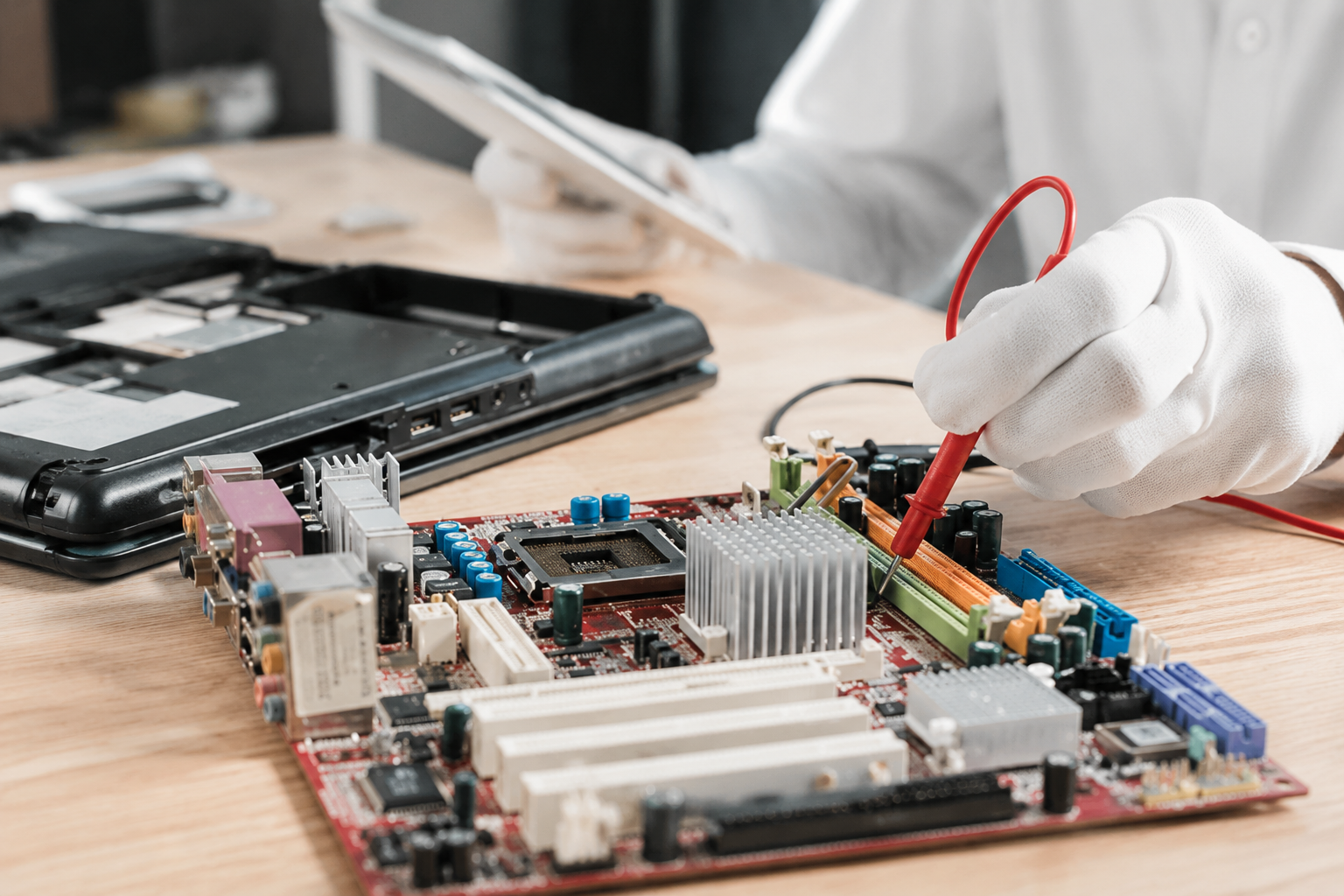
Sometimes, motherboard failure announces itself through your senses. Do you detect a faint, acrid burning or electrical smell near your PC case? If you open up your side panel and inspect the board, do you see bulging or leaking cylindrical capacitors, discolored solder joints, or tiny scorch marks near the power connectors? Any physical degradation means your motherboard has reached the end of its journey and requires immediate attention.
Smiling man in a blue shirt outdoors with a blurred green background

Utilize Our Expertise: Step-by-Step Troubleshooting

Pinpointing a bad motherboard requires patience and a methodical approach. If you want to test your system before bringing it in, here is how our seasoned technicians evaluate a troubled PC: 

  • Perform a Minimal "Breadboard" Test: Remove the motherboard from the chassis and place it on a non-conductive surface. Connect only the power supply, CPU, CPU cooler, and a single stick of RAM. Try to power it on. This eliminates cases of accidental short-circuiting against the metal chassis. 
  • Inspect for Visual Flaws: Grab a flashlight and carefully examine the socket pins, traces, and capacitors. Look for any dust buildup or corrosion that might be causing microscopic shorts.
  • Listen for Beep Codes: If your motherboard has a system speaker attached, listen closely to the startup beeps. Different beep patterns correspond directly to specific hardware failures outlined in your manufacturer's manual.

Craft Your Experience: Stress-Free Solutions Tailored For You
Glowing microchip on a blue circuit board with electric light effects

Dealing with motherboard diagnostics and hardware replacements can feel like performing openheart surgery on your computer. Why subject yourself to the frustration of trial-and-error part swapping when our family-owned team is ready to help?

At Home Net Computer Repair, we pride ourselves on transparent, honest pricing with zero hidden fees. Whether you are running a custom gaming setup, a heavy-duty video editing workstation, or an everyday family PC, we provide customized solutions tailored specifically to your needs and budget.

"We treat every customer like family and every computer as if it were our own. No stress, no guesswork: just reliable, top-tier craftsmanship." : Richard Mallory, Owner & Technician 

Experience Ultimate Convenience: We Come to You

We know that unplugging a tangle of cords, lifting a heavy desktop tower, and driving across town is the last thing you want to deal with when your computer breaks down. That is why we offer our signature convenient pick-up and return service. We will come right to your door, safely transport your system to our workshop for comprehensive diagnostics, and bring it back running at peak performance.

Smiling man in a blue shirt outdoors with a blurred green background

For our senior community members, we also provide patient, in-person tech tutoring and support designed to make technology entirely stress-free and accessible.

Reach Out Today for Reliable Tech Support

Is your computer exhibiting stubborn signs of hardware failure, or are you ready to upgrade to a bespoke custom rig built with top-quality parts? Don't let tech trouble slow you down for another day


Get in touch with us today through our website at Home Net Computer Repair or explore our specialized services across the region, including our Custom PC Building in Seattle, WA, Bellevue, WA, and Redmond, WA, as well as reliable Data Recovery Services in Bellevue, WA. Let our dedicated team restore peace of mind to your digital life!


August 27, 2026
Few moments in the digital age induce quite the same level of sudden panic as pressing your power button only to be greeted by a black screen, an endless boot loop, or an ominous error message. When your storage drive gives up the ghost, your first thought is rarely about hardware architecture, it is about your irreplaceable family photos, critical tax documents, bespoke video editing projects, and years of cherished memories. If you are currently facing this heart-dropping scenario, take a deep breath. You might be asking yourself: Can you recover files from a dead SSD? The short answer is a resounding yes in many cases, but the path to recovery depends heavily on whether your drive is experiencing a logical glitch or a catastrophic hardware failure. At Home Net Computer Repair, we believe that technology should empower your life rather than stress you out. As your knowledgeable neighborhood tech partner, we are here to provide clear, honest guidance, transparent pricing, and stellar, stress-free solutions. Let's walk through how to diagnose the situation, what you can safely do at home, and when it's time to let our dedicated family team step in with our premier pick-up and return service.
Neon-lit gaming PC setup with glowing RGB fans and a red “GAME ON” sign
August 26, 2026
Have you ever noticed your favorite machine sounding a bit like a jet engine during a routine web browsing session, or perhaps lagging just when you need it most? We’ve all been there, staring at a frozen screen, wondering why our trusty digital companion is suddenly moving at a snail's pace. Dust accumulation, thermal throttling, and cluttered operating systems are often the silent culprits behind these frustrating hiccups. At Home Net Computer Repair, we believe that maintaining your technology shouldn't feel like an overwhelming chore. As your knowledgeable neighborhood tech partner, we’re dedicated to bringing you stress-free, seamless computing experiences. Whether you are running a bespoke gaming rig, managing a busy small business, or simply keeping in touch with loved ones, establishing a proven maintenance schedule is the secret to unlocking peak performance and ensuring long-lasting durability. Let’s dive into our comprehensive guide on how often you should clean your computer, both inside and out, and how a little routine care keeps your hardware running at its absolute best.
August 25, 2026
Have you ever stared at your monitor while your computer freezes mid-task, wondering if the only cure is to wipe the slate completely clean? It’s a familiar frustration for many home users, gamers, and local business owners across our Pacific Northwest communities. When your machine starts acting up: throwing mysterious error codes, lagging during crucial video rendering, or taking an eternity to boot: the age-old recommendation often echoes through online forums: "Just reinstall Windows!" But is a full operating system wipe truly necessary every time your PC hits a snag? At Home Net Computer Repair, we believe in transparent, honest diagnostics rather than reaching for drastic measures right away. As your knowledgeable neighbor down the road, our goal is to deliver a stress-free, seamless experience that saves you time and protects your cherished files. Let’s explore when hitting refresh on your operating system is an absolute game-changer, and when you can safely skip the hassle entirely.
August 24, 2026
Have you ever settled in for a relaxing evening of high-end gaming or opened your video editing suite to finish a premier project, only for your computer to suddenly sound like a roaring jet engine before crashing to a black screen? That sinking feeling of frustration is all too familiar. When your machine unexpectedly shuts down or stutters during peak performance, you are likely dealing with a classic and stressful culprit: CPU overheating. At Home Net Computer Repair, we believe that technology should empower your daily life, not add anxiety to it. As your friendly, family-owned neighborhood tech experts, we are committed to making your digital experience completely seamless and stress-free. Whether you are running a bespoke gaming rig, a high-performance content creation workstation, or a reliable family desktop, keeping your processor at peak performance is essential for long-lasting durability. Let's dive into why your CPU might be running dangerously hot, how you can diagnose the issue, and what proven, transparent steps you can take to bring temperatures back down to earth.
August 21, 2026
It happens when you least expect it. You click a suspicious link in an email, download a file from an unverified source, or browse to a site that looks just a little too good to be true. Suddenly, your screen freezes, warning pop-ups flood your display, and a cold wave of dread washes over you: Did a virus just completely destroy my computer? If you are currently holding your breath wondering whether your machine is toast, take a deep breath. At Home Net Computer Repair , our family-owned team has seen it all. As your knowledgeable neighborhood tech experts, we are here to clear away the fear, separate internet myths from engineering facts, and provide you with a stress-free, crystal-clear understanding of what malware can: and cannot: do to your precious hardware.
August 20, 2026
There are few sounds more unsettling in the digital world than an unexpected, rhythmic tapping or clicking emanating from your computer case. You pause mid-sentence in an email, holding your breath. What was that? Is your machine about to give up the ghost right before you finish an important project? Do you need to panic? Here at Home Net Computer Repair, we know how stressful computer trouble can be. When your trusted desktop or laptop starts speaking in mysterious clicks and taps, it’s easy to feel overwhelmed. But take a deep breath! As your knowledgeable neighbors in the Pacific Northwest, we are here to help you unpack what that sound means, how to diagnose the culprit without breaking a sweat, and why addressing it early can save you from a major headache. Let's walk through what those mysterious noises signify and how to secure a seamless, stress-free solution.
August 19, 2026
There is nothing quite like the rush of diving into your favorite title after a long week, only to have your screen freeze or your system drop straight to the desktop right as you reach the climax of an intense match. If you have ever asked yourself, "Why is my PC crashing during games?" you already know how frustrating sudden black screens, unexpected reboots, and game freezes can be. When your system handles web browsing and office apps just fine but struggles the moment you fire up a graphically demanding game, it feels like an elusive mystery. At Home Net Computer Repair, we believe your gaming time should be a seamless, stress-free escape: not a technical puzzle. As your trusted local technology partner serving families, gamers, and professionals across the region, we see this issue frequently. Whether you are gaming in Seattle, Bellevue, Redmond, or right down the street, we are here to help you get back to peak performance with our hassle-free pick-up and return service and expert diagnostics. Let's explore the top causes of game crashes and discover how you can restore stability to your rig.
August 18, 2026
Are you staring at your screen while an application freezes, wondering why your machine is stuttering just when you need it most? Perhaps you are planning a brand-new custom rig for modern AAA gaming or heavy 4K video editing, and you find yourself paralyzed by hardware specifications. With technology evolving at a breakneck pace, figuring out the exact amount of Random Access Memory (RAM) required for your specific workflow can feel like navigating a maze. Here at Home Net Computer Repair, we believe that upgrading your technology should be an exciting, stress-free milestone rather than a frustrating guessing game. As a family-owned team serving our local communities: from Seattle to Bellevue , Kirkland , and Redmond : we are dedicated to providing honest, transparent guidance. Let us walk you through our comprehensive, no-nonsense guide for 2026 so you can achieve peak performance without spending a dime on hardware you do not need.
August 17, 2026
Are you standing at the digital crossroads, staring at shiny prebuilt rigs on one tab and a cart full of dazzling components on the other, wondering which path leads to your ultimate gaming sanctuary? You are certainly not alone. Whether you are stepping up from a tired old laptop or preparing for the release of the year’s most demanding AAA title, the eternal debate between building your own rig or buying a prebuilt system is enough to cause any gamer a bit of hesitation. At Home Net Computer Repair , we believe that technology should be an exciting extension of your passions: never a source of stress. As your knowledgeable neighborhood tech experts, we’ve guided countless local gamers through this exact dilemma. Let’s dive into our comprehensive comparison of building versus buying, so you can make a confident, stress-free choice tailored to your exact needs, budget, and lifestyle.
August 14, 2026
There are few moments in your daily routine quite as heart-stopping as pressing the power button on your computer, only to be met with complete silence, an endless black screen, or a frustrating loop of error messages. Whether you rely on your machine for crunching spreadsheets, crafting digital masterpieces, or unwinding with your favorite game after a long week, a computer that refuses to boot can throw your entire day off balance. You might find yourself asking: Is this the end of my machine, or is it a simple fix? Take a deep breath. At Home Net Computer Repair , we know how stressful technology glitches can feel. As your trusted, family-owned neighbor in the Pacific Northwest, we are committed to making tech less stressful and more accessible for everyone. Before you panic or assume you need an entirely new rig, let’s walk through five comprehensive troubleshooting steps to help you diagnose and conquer the startup blues.