Is Public Wi-Fi Bad? What Seniors Need to Know

July 20, 2026

Have you ever found yourself at your favorite local coffee shop, enjoying a fresh pastry and wanting to check your email or share a photo with your grandkids? You see that "Free Guest Wi-Fi" option on your screen and wonder: Is this actually safe to use?


At Home Net Computer Repair, we believe that technology should empower you, not intimidate you. As a family-owned business deeply rooted in our community, we’ve heard this question from countless neighbors and friends. The truth is that while the internet offers unrivaled convenience, public networks require a bit of "digital street smarts" to keep your personal information secure.


In this comprehensive guide, we’ll demystify public Wi-Fi, highlight the premier ways to protect yourself, and show you how a few simple habits can turn a potentially stressful tech moment into a seamless, worry-free experience.

Have you ever found yourself at your favorite local coffee shop, enjoying a fresh pastry and wanting to check your email or share a photo with your grandkids? You see that "Free Guest Wi-Fi" option on your screen and wonder: Is this actually safe to use?


At Home Net Computer Repair, we believe that technology should empower you, not intimidate you. As a family-owned business deeply rooted in our community, we’ve heard this question from countless neighbors and friends. The truth is that while the internet offers unrivaled convenience, public networks require a bit of "digital street smarts" to keep your personal information secure.


In this comprehensive guide, we’ll demystify public Wi-Fi, highlight the premier ways to protect yourself, and show you how a few simple habits can turn a potentially stressful tech moment into a seamless, worry-free experience.

Craft Your Digital Safety: What is Public Wi-Fi?

Public Wi-Fi refers to any wireless internet network that is available for use by the general public. You’ll find these in airports, hotels, libraries, and cafes. Unlike your private home network: which we can help you secure for peak performance: public networks are designed for accessibility.


Because these networks are open to everyone, they are also open to individuals who might not have the best intentions. Think of it like a public park: it’s a wonderful resource for the community, but you probably wouldn’t leave your wallet sitting on a park bench while you go for a walk. Using public WiFi is similar; it’s a great tool, but you need to keep your "digital wallet" tucked away safely.

Public Wi-Fi refers to any wireless internet network that is available for use by the general public. You’ll find these in airports, hotels, libraries, and cafes. Unlike your private home network: which we can help you secure for peak performance: public networks are designed for accessibility.


Because these networks are open to everyone, they are also open to individuals who might not have the best intentions. Think of it like a public park: it’s a wonderful resource for the community, but you probably wouldn’t leave your wallet sitting on a park bench while you go for a walk. Using public WiFi is similar; it’s a great tool, but you need to keep your "digital wallet" tucked away safely.

Explore the Risks: When to Be Cautious

Is public Wi-Fi "bad"? Not necessarily. But it is inherently less secure than the private connection you have at home. When you connect to an unencrypted public network, you are essentially sharing a digital space with everyone else in that building.

Explore the Risks: When to Be Cautious

Is public Wi-Fi "bad"? Not necessarily. But it is inherently less secure than the private connection you have at home. When you connect to an unencrypted public network, you are essentially sharing a digital space with everyone else in that building.

Here are a few scenarios where our team at Home Net Computer Repair suggests exercising extra caution:

  • Financial Transactions: Never log into your bank account, transfer money, or use your credit card while on public Wi-Fi. Scammers can use "snooping" techniques to capture your login credentials.
  • Accessing Medical Records: Your health information is incredibly private. Wait until you are on a secure, trusted connection before checking test results or insurance portals.

Here are a few scenarios where our team at Home Net Computer Repair suggests exercising extra caution:

  • Financial Transactions: Never log into your bank account, transfer money, or use your credit card while on public Wi-Fi. Scammers can use "snooping" techniques to capture your login credentials.
  • Accessing Medical Records: Your health information is incredibly private. Wait until you are on a secure, trusted connection before checking test results or insurance portals.
  • Using "Open" Networks: If a Wi-Fi network doesn't ask for a password, it is usually unencrypted. This means any data sent between your laptop or phone and the router could potentially be intercepted by a third party.

Utilize Our Expertise: 5 Steps to Seamless Security 

You deserve a stress-free experience every time you open your laptop. By following these proven steps, you can enjoy the freedom of public Wi-Fi without the headache of security breaches.

  • Using "Open" Networks: If a Wi-Fi network doesn't ask for a password, it is usually unencrypted. This means any data sent between your laptop or phone and the router could potentially be intercepted by a third party.

Utilize Our Expertise: 5 Steps to Seamless Security 

You deserve a stress-free experience every time you open your laptop. By following these proven steps, you can enjoy the freedom of public Wi-Fi without the headache of security breaches.

1. Verify Before You Connect

Before you click "Connect," ask a staff member for the official name of the network. Hackers often create "evil twin" networks with names like "CoffeeShop_Free" when the real one is "CoffeeShop_Guest." Verifying the name ensures you aren't accidentally walking into a trap.


2. Look for the "Digital Lock"

When you are browsing the web, always look at the address bar at the top of your screen. You should see a small padlock icon and a web address that starts with "https://" rather than just "http://". That "S" stands for "Secure," meaning the website has built-in encryption to protect the data you send to it.


3. Forget the Network

Once you’ve finished your coffee and closed your laptop, make sure to "Forget" the network in your settings. This prevents your device from automatically reconnecting the next time you walk past the building, giving you total control over when you are online. 


4. Consider a VPN 

For those who travel frequently or love working from the library, we highly recommend a Virtual Private Network (VPN). Think of a VPN as a private, armored tunnel for your data. It encrypts everything you do, making it invisible to anyone else on the public network. If you need help choosing a premier, user-friendly VPN, our technicians are happy to provide a bespoke recommendation. 


5. Keep Your Software Updated 

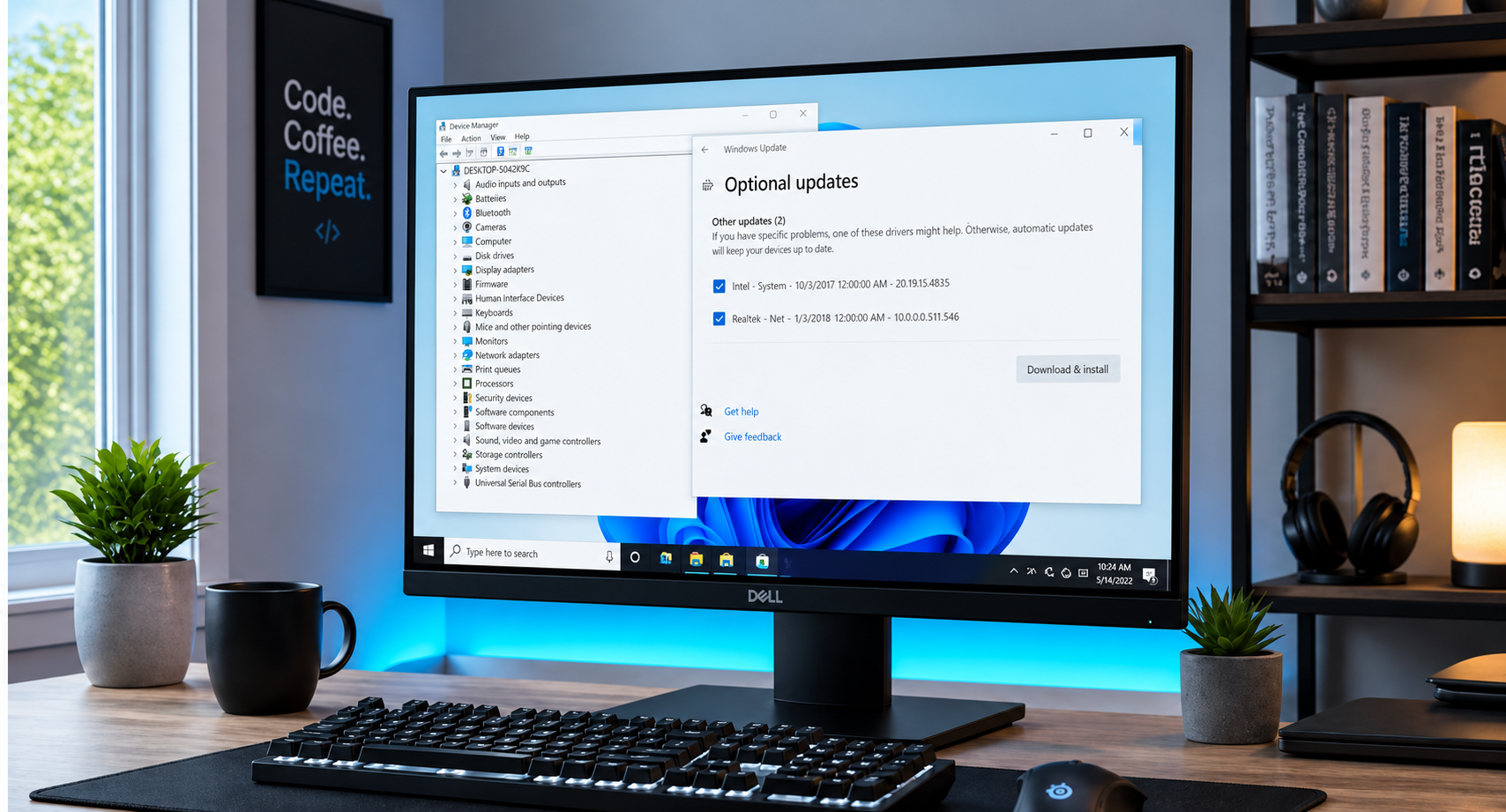
Software updates aren't just about new features; they often include critical security patches. Ensuring your Windows or Mac operating system is up-to-date is your first line of defense against cyber threats. If your computer is running slow or nagging you about updates, our laptop repair services can get you back to peak performance in no time. 

1. Verify Before You Connect

Before you click "Connect," ask a staff member for the official name of the network. Hackers often create "evil twin" networks with names like "CoffeeShop_Free" when the real one is "CoffeeShop_Guest." Verifying the name ensures you aren't accidentally walking into a trap.


2. Look for the "Digital Lock"

When you are browsing the web, always look at the address bar at the top of your screen. You should see a small padlock icon and a web address that starts with "https://" rather than just "http://". That "S" stands for "Secure," meaning the website has built-in encryption to protect the data you send to it.


3. Forget the Network

Once you’ve finished your coffee and closed your laptop, make sure to "Forget" the network in your settings. This prevents your device from automatically reconnecting the next time you walk past the building, giving you total control over when you are online. 


4. Consider a VPN 

For those who travel frequently or love working from the library, we highly recommend a Virtual Private Network (VPN). Think of a VPN as a private, armored tunnel for your data. It encrypts everything you do, making it invisible to anyone else on the public network. If you need help choosing a premier, user-friendly VPN, our technicians are happy to provide a bespoke recommendation. 


5. Keep Your Software Updated 

Software updates aren't just about new features; they often include critical security patches. Ensuring your Windows or Mac operating system is up-to-date is your first line of defense against cyber threats. If your computer is running slow or nagging you about updates, our laptop repair services can get you back to peak performance in no time. 

Experience Bespoke Tech Tutoring

We know that all of this talk about encryption, VPNs, and "evil twins" can feel overwhelming. That is exactly why we offer specialized, in-person tech tutoring for seniors. We don't just fix computers; we empower people.


Our patient, friendly technicians come directly to your home: taking the stress out of the equation entirely. We can sit down with you and:

  • Show you exactly how to identify a secure connection. 
  • Set up a reliable VPN on your devices.
  • Configure your home Wi-Fi for maximum security and speed.
  • Answer any "there are no silly questions" you might have about your tech.


As a family-owned business, we treat our senior clients like members of our own family. We use clear, everyday language and move at a pace that is comfortable for you. Whether you are in Seattle, Bellevue, or anywhere in our service area, we are dedicated to making your digital life stellar and secure.

Experience Bespoke Tech Tutoring

We know that all of this talk about encryption, VPNs, and "evil twins" can feel overwhelming. That is exactly why we offer specialized, in-person tech tutoring for seniors. We don't just fix computers; we empower people.


Our patient, friendly technicians come directly to your home: taking the stress out of the equation entirely. We can sit down with you and:

  • Show you exactly how to identify a secure connection. 
  • Set up a reliable VPN on your devices.
  • Configure your home Wi-Fi for maximum security and speed.
  • Answer any "there are no silly questions" you might have about your tech.


As a family-owned business, we treat our senior clients like members of our own family. We use clear, everyday language and move at a pace that is comfortable for you. Whether you are in Seattle, Bellevue, or anywhere in our service area, we are dedicated to making your digital life stellar and secure.

Meet the Team Behind the Screen


When you call Home Net Computer Repair, you aren't getting a call center. You are reaching out to local experts who genuinely care. Our owner, Richard Mallory, has built this business on the pillars of honesty, transparency, and quality craftsmanship.


We know your computer is your lifeline to family, hobbies, and the world. That’s why we offer a convenient pick-up and return service. If your computer needs a serious security overhaul or a hardware upgrade, we’ll collect it from your doorstep and bring it back better than ever. We use only top-quality parts for long-lasting results, ensuring your investment is protected for years to come.


When you call Home Net Computer Repair, you aren't getting a call center. You are reaching out to local experts who genuinely care. Our owner, Richard Mallory, has built this business on the pillars of honesty, transparency, and quality craftsmanship.


We know your computer is your lifeline to family, hobbies, and the world. That’s why we offer a convenient pick-up and return service. If your computer needs a serious security overhaul or a hardware upgrade, we’ll collect it from your doorstep and bring it back better than ever. We use only top-quality parts for long-lasting results, ensuring your investment is protected for years to come.

Reach Out for a Seamless Experience

Reach Out for a Seamless Experience

Public Wi-Fi doesn't have to be a source of anxiety. With the right knowledge and a few simple precautions, you can stay connected to what matters most without compromising your privacy.


Are you feeling a bit unsure about your current security settings? Or perhaps your laptop is acting up and needs a professional eye? Don’t let tech troubles simmer. Reach out to the team that treats your computer like their own.


Contact us today to schedule a tutoring session or a secure system check-up. We’re here to help you navigate the digital world with unrivaled confidence.

Public Wi-Fi doesn't have to be a source of anxiety. With the right knowledge and a few simple precautions, you can stay connected to what matters most without compromising your privacy.


Are you feeling a bit unsure about your current security settings? Or perhaps your laptop is acting up and needs a professional eye? Don’t let tech troubles simmer. Reach out to the team that treats your computer like their own.


Contact us today to schedule a tutoring session or a secure system check-up. We’re here to help you navigate the digital world with unrivaled confidence.

July 17, 2026
If you’ve been using a computer for more than a few years, you likely remember the "Golden Age" of the computer virus. Back then, a virus was a digital prank, something that might pop up a funny message, delete some files, or just slow your machine down until it was unusable. You’d run a scan, delete the intruder, and go about your day. Fast forward to 2026, and the landscape has changed entirely. You might find yourself wondering: “Do I even need to pay for antivirus software anymore?” After all, Windows and macOS come with built-in protection, and we’re all a bit more "tech-savvy" than we used to be, right? At Home Net Computer Repair , we hear this question every week. Whether we’re out on a custom gaming rig delivery in Seattle or sitting down for a patient tech tutoring session with a local senior, the concern is the same: Is my digital life actually safe? The short answer is yes, security matters more than ever. But the way it matters has shifted from chasing "viruses" to defending against a sophisticated, AI-driven ecosystem of fraud.
July 15, 2026
Have you ever been in the heat of a high-stakes match, only to have your screen stutter or your frame rate dip at the most critical moment? It’s a frustration we’ve all felt: that nagging sense that your hardware has more to give, if only you knew how to unlock it. At Home Net Computer Repair , we believe you shouldn’t have to settle for "good enough" when "stellar" is within your reach. Overclocking often sounds like a dark art reserved for tech wizards in dimly lit rooms, but in reality, it’s a bespoke way to tailor your computer’s performance to your specific needs. Whether you’re a competitive gamer seeking an unrivaled edge or a content creator wanting a seamless video editing experience, understanding the basics of overclocking is the first step toward a more powerful, personalized machine. In this comprehensive guide, your knowledgeable neighbors here at Home Net will walk you through the world of overclocking. We’ll show you how to safely squeeze every bit of power out of your components while maintaining the long-lasting reliability our family-owned business is known for.
July 13, 2026
In an era where family and friends can be thousands of miles away, the magic of seeing a loved one’s face in real-time is unrivaled. For many seniors, video calling isn't just about "tech": it’s about witnessing a grandchild’s first steps, sharing a cup of coffee with a friend across the country, or simply feeling the presence of family when you can’t be there in person. However, we understand that the transition to digital communication can sometimes feel more stressful than it should be. Between "Can you hear me?" and "Where did the button go?", technology can occasionally feel like a barrier rather than a bridge. At Home Net Computer Repair , we believe that technology should serve you, not the other way around. In this comprehensive guide, we’ll walk you through how to craft a seamless video calling experience right from the comfort of your home. Whether you're a seasoned tablet user or just getting started, our goal is to make your digital connections hassle-free and filled with joy.
July 3, 2026
Have you ever found yourself staring at a frozen progress bar, watching the minutes tick by while your computer struggles to render a simple transition? If you’re a content creator or a small business owner in the Seattle area working with high-resolution footage, you know the frustration. The stuttering timelines, the dreaded "application not responding" messages, and the heat radiating from a machine pushed beyond its limits: it’s enough to kill any creative spark. At Home Net Computer Repair , we believe your technology should be the wind in your sails, not the anchor holding you back. Whether you're a professional filmmaker in Bellevue or a hobbyist YouTuber in Redmond, stepping up to 8K resolution requires more than just an off-the-shelf computer. It requires a bespoke video editing rig : a powerhouse specifically engineered to handle the massive data rates of the future. Let’s explore how we can help you build the premier editing station that doesn’t just meet the industry standards of 2026 but shatters them.
July 2, 2026
So, you’ve decided to brave the frontier of custom PC building. You’ve got the parts list, the screwdriver, and enough caffeine to power a small village. But let’s be honest: building a premier gaming rig in 2026 isn't just about snapping Legos together anymore. With hardware getting more powerful (and hungrier for power), the margin for error has shrunk. At Home Net Computer Repair , we’ve seen it all: from the "why is my CPU smoking?" to the "why am I getting 10 FPS on a $3,000 rig?" We’re your knowledgeable neighbors in the tech world, and we’re here to ensure your building experience is as seamless and stress-free as possible. Whether you're in Seattle, Bellevue, or Tacoma , we want your custom build to be an unrivaled masterpiece Before you press that power button for the first time, let’s walk through the seven most common pitfalls and the ultimate guide to picking VRAM for the titles of 2026.
June 30, 2026
Have you ever sat down to play the latest open-world masterpiece, only to be met with stuttering frames, loud fan noise, or: worse yet: a complete system crash? We’ve all been there. There’s nothing more frustrating than having your immersion broken by hardware that just can’t keep up with your ambition. In mid-2026, the world of PC gaming has reached a breathtaking new peak. With ray tracing becoming the standard and AI-upscaling reaching near-perfect clarity, the hardware required to run these games at their best is more sophisticated than ever. Whether you’re diving into the hyper-realistic streets of a futuristic RPG or competing at the highest levels of an e-sports title, your rig should be a gateway, not a barrier. At Home Net Computer Repair , we believe that every gamer deserves a seamless, stress-free experience. We don’t just fix computers; we craft bespoke digital engines designed for longevity and peak performance. If you’re looking for the premier gaming experience in 2026, you’re in the right place. Let’s explore what makes a true "ultimate rig" this year.
June 26, 2026
Do you remember that feeling of pure excitement when you first fired up your gaming rig? The lightning-fast response, the stunning visuals, and the sheer power at your fingertips? For many of us, our gaming PC isn't just a machine; it’s a gateway to other worlds, a hub for connecting with friends, and a bespoke piece of technology that reflects our personal style. However, as the calendar rolls into 2026, you might have noticed that your once-stellar machine is starting to show its age. Perhaps your frame rates aren't quite reaching the heights they used to in the latest titles, or maybe that "seamless" multitasking experience has become a bit more sluggish when you’re running Discord and a screen-recorder in the background. If you've found yourself asking, "Do I need a whole new computer?" we have some great news for you: often, a few premier upgrades can breathe new life into your existing setup, delivering unrivaled performance without the massive cost of a full replacement. At Home Net Computer Repair, we specialize in transforming "good" PCs into unrivaled powerhouses. We believe in quality craftsmanship and honest advice, and we’re here to guide you through the essential upgrades that will get you back to peak performance.
June 24, 2026
There is nothing quite as frustrating as being in the heat of a high-stakes match, only to have your screen freeze or your entire system shut down without warning. You’ve invested time, passion, and likely a significant amount of money into your gaming rig, so when it begins to sound like a jet engine taking off: or worse, starts "thermal throttling": it’s more than just a nuisance. It’s a threat to your hardware’s longevity. At Home Net Computer Repair , we understand that your gaming PC isn't just a machine; it’s your gateway to other worlds, your creative studio, and your competitive edge. Whether you’re running a bespoke build in Seattle or a high-performance setup in Bellevue, heat is the silent rival you need to defeat. In this comprehensive guide, we’ll explore why your system might be running hot and how our premier repair services can restore your PC to peak performance.
Two people smiling at a laptop on a couch in a bright living room
By HomeNet Computer Repair June 22, 2026
Do you remember when technology was supposed to make our lives easier? Somewhere between the endless "system update" notifications and the tangled web of passwords, that promise seems to have slipped away.
Technician repairing a laptop on a workbench with tools and disassembled parts
By HomeNet Computer Repair June 19, 2026
It happens in a heartbeat. Maybe it was a stray pen left on the keyboard before closing the lid, or perhaps a clumsy moment during your morning coffee. One second your laptop is your window to the world, and the next, it’s a chaotic mess of spider-web cracks and flickering lines.