The Ultimate Guide to PC Data Backup

July 29, 2026

Have you ever experienced that heart-sinking moment when your computer screen goes black and refuses to turn back on? Or perhaps you’ve heard the dreaded "click of death" coming from your hard drive? In our digital age, our lives are stored on our devices: precious family photos, critical tax documents, years of work projects, and even your carefully curated gaming library


At Home Net Computer Repair, we’ve seen the look of heartbreak on a customer's face when they realize their data might be gone forever. While we offer unrivaled data recovery services to help in those dire moments, we would much rather help you avoid that stress entirely. This is why a comprehensive, stellar backup strategy isn’t just a "nice to have": it is an essential part of modern life.


In this ultimate guide, we’ll walk you through how to protect your digital world with a seamless, hassle-free approach that ensures you never have to worry about data loss again.

Have you ever found yourself at your favorite local coffee shop, enjoying a fresh pastry and wanting to check your email or share a photo with your grandkids? You see that "Free Guest Wi-Fi" option on your screen and wonder: Is this actually safe to use?


At Home Net Computer Repair, we believe that technology should empower you, not intimidate you. As a family-owned business deeply rooted in our community, we’ve heard this question from countless neighbors and friends. The truth is that while the internet offers unrivaled convenience, public networks require a bit of "digital street smarts" to keep your personal information secure.


In this comprehensive guide, we’ll demystify public Wi-Fi, highlight the premier ways to protect yourself, and show you how a few simple habits can turn a potentially stressful tech moment into a seamless, worry-free experience.

Craft Your Peace of Mind: Why Backup is Essential

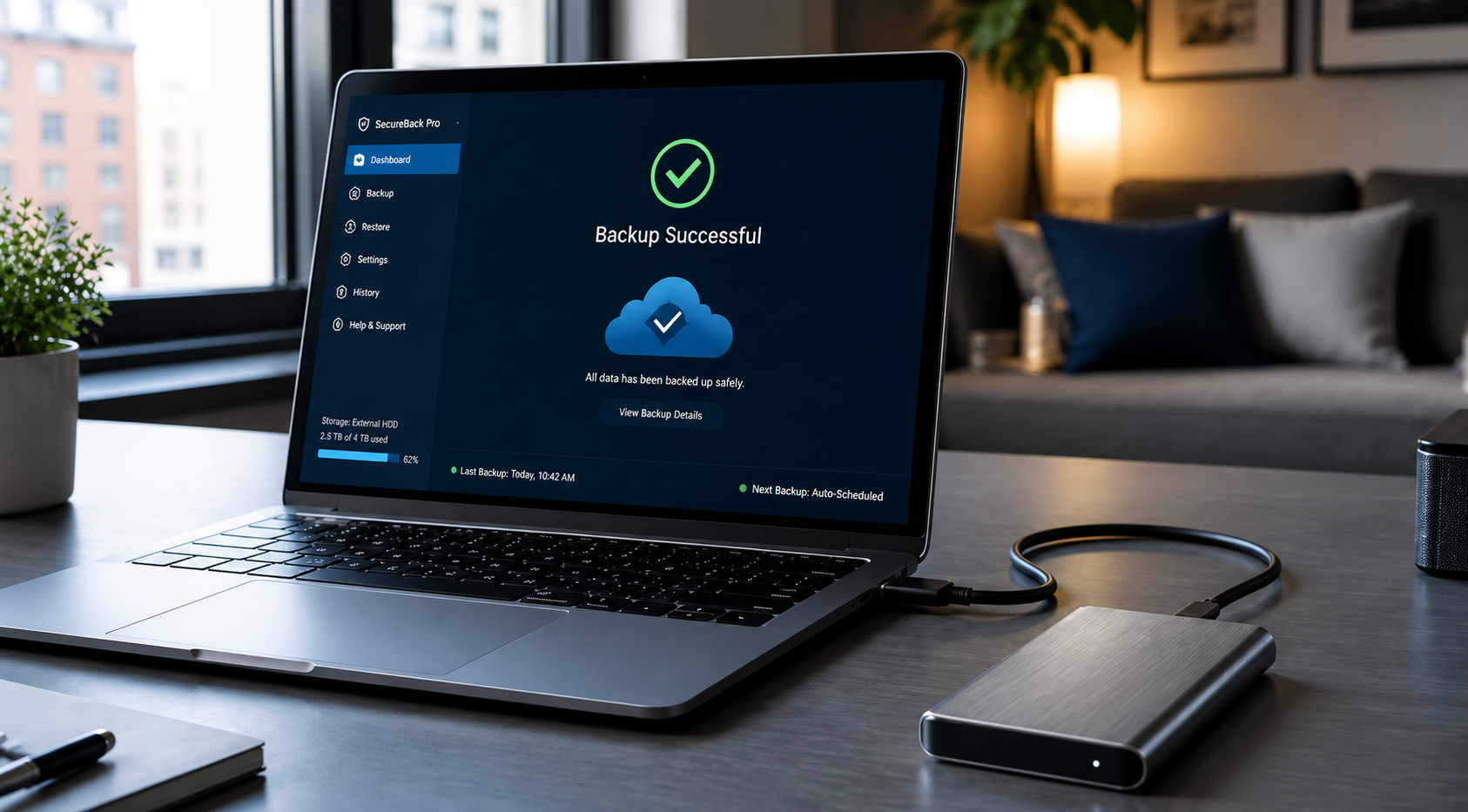
It’s easy to think, "It won’t happen to me." But the reality is that hardware eventually fails. Whether it’s a premier custom gaming rig or a trusty family laptop, every storage drive has a lifespan. Beyond hardware failure, there are other "uninvited guests" like ransomware, accidental deletions, or even a spilled cup of coffee that can wipe out your digital history in seconds.


Think of a backup as an insurance policy for your memories and your productivity. When you have a proven backup system in place, a computer crash shifts from being a catastrophe to a minor, manageable inconvenience. Our mission is to make your technology feel reliable and your experience with it entirely stress-free. 

Utilize Our Expertise: Mastering the 3-2-1 Rule

If you’ve spent any time looking into data protection, you may have heard of the 3-2-1 rule. In 2026, this strategy remains the gold standard for anyone seeking a bespoke security setup. At its core, it’s about redundancy. If one door closes, you want two more ready to open.


Here is how we recommend implementing this unrivaled strategy:
If you’ve spent any time looking into data protection, you may have heard of the 3-2-1 rule. In 2026, this strategy remains the gold standard for anyone seeking a bespoke security setup. At its core, it’s about redundancy. If one door closes, you want two more ready to open.


Here is how we recommend implementing this unrivaled strategy:

  • 3 Copies of Your Data: This includes your original data and at least two backups
  • 2 Different Types of Media: Don't keep all your eggs in one basket. Use a combination of local storage (like an external drive) and off-site storage. 
  • 1 Copy Off-Site: This is usually the cloud. If something happens to your physical home: like a fire or a flood: your data remains safe in a secure, remote location. 

Public Wi-Fi refers to any wireless internet network that is available for use by the general public. You’ll find these in airports, hotels, libraries, and cafes. Unlike your private home network: which we can help you secure for peak performance: public networks are designed for accessibility.


Because these networks are open to everyone, they are also open to individuals who might not have the best intentions. Think of it like a public park: it’s a wonderful resource for the community, but you probably wouldn’t leave your wallet sitting on a park bench while you go for a walk. Using public WiFi is similar; it’s a great tool, but you need to keep your "digital wallet" tucked away safely.

By following this rhythm, you create a "safety net" that is virtually impenetrable. Whether you are a small business owner in Kent or a gamer in Bellevue, this framework is your first line of defense.

explore Your Options: Local vs. Cloud Storage

When we sit down with our neighbors for tech tutoring, the most common question is: "Should I use an external drive or the cloud?" The answer is almost always: Both. Each has its own set of "bespoke" benefits that, when combined, offer a truly comprehensive solution.

The Power of Local Backups

Cloud services like OneDrive, Google Drive, or specialized backup providers like Backblaze and Carbonite offer a "set it and forget it" experience

Pros: They are incredibly fast for restoring large amounts of data. You don't need an internet connection to access them, and there are no monthly subscription fees. 

Cons: They are susceptible to physical damage, theft, or being lost in the same event that damages your computer.

For our gaming community, we often recommend high-speed external SSDs. If you’ve invested in a top-tier gaming build, you want a backup solution that matches that level of performance.

The Resilience of Cloud Storage 

Cloud services like OneDrive, Google Drive, or specialized backup providers like Backblaze and Carbonite offer a "set it and forget it" experience.

Pros: Your data is stored in professional-grade data centers. It’s protected from local disasters and is accessible from anywhere in the world. Many services offer version history, allowing you to "go back in time" if a file gets corrupted. 

Cons: Restoring huge amounts of data can be slow depending on your internet speed, and there is usually a recurring cost for significant storage space.

Bespoke Solutions: How to Start Your Backup Journey

Are you feeling a bit overwhelmed? Don't worry: we’re here to help you navigate this. Building a backup plan is a step-by-step process, and we can even come to you to set it all up.

Purple outlined number 1 with a white center on a light background

Step 1: Identify Your "Must-Haves"

Not everything on your computer needs to be backed up. Your operating system and applications can be reinstalled (though a "system image" can make this faster). Focus on your personal files: photos, videos, tax returns, and work documents. 

Blue outlined number 2 on a white background

Step 2: Choose Your Local Device

We recommend an external drive that is at least twice the size of your computer’s internal storage. This allows you to keep multiple "versions" of your files over time. If you’re unsure which hardware to choose, reach out to us! We only use top-quality parts that we trust for our own families.

Purple number 3 logo on a white background

Step 3: Select a Cloud Provider 

For Windows users, OneDrive is often the most seamless choice. For those who want an unrivaled "backup everything" solution, services like Backblaze offer peace of mind for a small monthly fee.

Personalized Tech Tutoring for Seniors

We know that for many of our senior neighbors, the "cloud" can feel more like a fog. Technology should be a tool that brings you closer to your family, not a source of frustration. Our in-person tech tutoring is designed to be patient, clear, and focused on what matters to you. 


We can sit down with you in the comfort of your own home and show you exactly how to save those precious photos of the grandkids so they are safe forever. We believe in making tech accessible for everyone, and we take pride in being the "knowledgeable neighbor" you can always count on.
Elevate Your Experience: The Home Net Difference

Why choose us to help with your data strategy? Because we are a family-owned business that treats your data like our own. We don't believe in one-size-fits-all "corporate" fixes. We offer:
  •  Pick-up and Return Service: For ultimate convenience, we’ll come to your door, handle the technical heavy lifting, and return your equipment once it’s optimized.
  •  Honest, Upfront Pricing: No hidden fees, no jargon-filled surprises. Just quality craftsmanship.
  • Expertise in Custom Builds: If you’re a gamer or a creator in Redmond or Kirkland, we understand the unique needs of high-performance machines. 

Ready to Secure Your Digital Legacy? 

Don’t wait for a "blue screen" to remind you how important your data is. Whether you need a simple backup setup or a complex data recovery for a small business, we are here to provide a seamless, high-status service that puts you first.


Are you ready to make your digital life stress-free? Reach out to us today and let's build a protection plan that’s as unique as you are. We’re more than just a repair shop; we’re your partners in technology
July 27, 2026
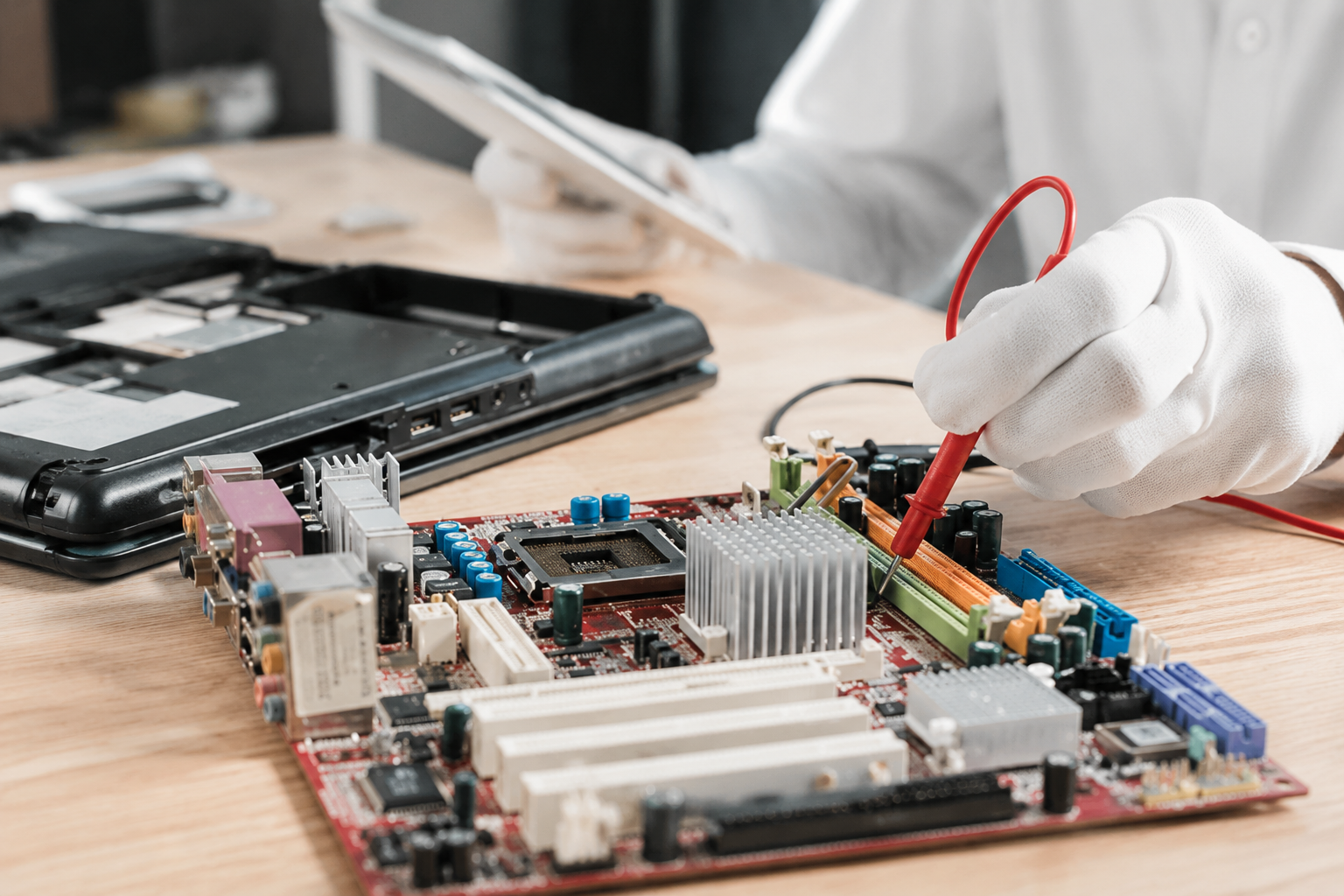
We’ve all been there. You’re in the middle of an important project, or perhaps just settling in for a late-night gaming session, and suddenly: blackout. Your laptop screen goes dark, or maybe it starts making a sound like a jet engine preparing for takeoff. It’s frustrating, it’s stressful, and let’s be honest, it’s a little scary. Your laptop isn't just a piece of plastic and silicon; it’s your connection to work, your family photos, and your favorite digital escapes. When tech trouble strikes, the instinct is often to act fast. But did you know that many common laptop issues are actually made worse by the very steps people take to "fix" them? At Home Net Computer Repair , we’ve seen it all: from stripped screws to "fried" motherboards caused by a simple static spark. If you want to ensure your device returns to peak performance without the extra headache, you need to avoid the classic traps. Let’s dive into how you can navigate the repair process like a pro and ensure your tech gets the premier care it deserves.
July 24, 2026
Have you ever sat down at your desk, cup of coffee in hand, ready to tackle the day, only to be met by a computer that feels like it’s stuck in a thick fog? You press the power button, and then... you wait. You watch that little spinning circle on the screen, your coffee slowly goes cold, and your frustration levels start to rise. At Home Net Computer Repair , we hear this story every single day. Most folks assume their computer is just "getting old" and needs to be replaced. But more often than not, the culprit isn't the age of the machine, it’s the type of storage living inside it. If you’re looking to transform your sluggish PC into a premier, high-performance machine, understanding the difference between a Hard Disk Drive (HDD) and a Solid State Drive (SSD) is the most important step you can take. Let’s dive into this "knowledgeable neighbor" guide and get you up to speed in under three minutes.
July 22, 2026
Does the mere thought of a software update or a "disk full" notification send a shiver down your spine? You are certainly not alone. In today's fast-paced digital world, technology can often feel like it’s speaking a language designed to exclude you. But here at Home Net Computer Repair , we believe technology should be a bridge to your loved ones and your passions, not a barrier. If you’ve been searching for the premier tech support experience: one that values your time, your safety, and your peace of mind: there are a few things you deserve to know before you invite a technician into your home or hand over your precious devices. Navigating the world of computer repair shouldn't be a stressful ordeal; it should be a seamless transition back to what matters most. Here are the top 10 things seniors should look for when choosing unrivaled tech support. 
July 20, 2026
Have you ever found yourself at your favorite local coffee shop, enjoying a fresh pastry and wanting to check your email or share a photo with your grandkids? You see that "Free Guest Wi-Fi" option on your screen and wonder: Is this actually safe to use? At Home Net Computer Repair, we believe that technology should empower you, not intimidate you. As a family-owned business deeply rooted in our community, we’ve heard this question from countless neighbors and friends. The truth is that while the internet offers unrivaled convenience, public networks require a bit of "digital street smarts" to keep your personal information secure. In this comprehensive guide, we’ll demystify public Wi-Fi, highlight the premier ways to protect yourself, and show you how a few simple habits can turn a potentially stressful tech moment into a seamless, worry-free experience.
July 17, 2026
If you’ve been using a computer for more than a few years, you likely remember the "Golden Age" of the computer virus. Back then, a virus was a digital prank, something that might pop up a funny message, delete some files, or just slow your machine down until it was unusable. You’d run a scan, delete the intruder, and go about your day. Fast forward to 2026, and the landscape has changed entirely. You might find yourself wondering: “Do I even need to pay for antivirus software anymore?” After all, Windows and macOS come with built-in protection, and we’re all a bit more "tech-savvy" than we used to be, right? At Home Net Computer Repair , we hear this question every week. Whether we’re out on a custom gaming rig delivery in Seattle or sitting down for a patient tech tutoring session with a local senior, the concern is the same: Is my digital life actually safe? The short answer is yes, security matters more than ever. But the way it matters has shifted from chasing "viruses" to defending against a sophisticated, AI-driven ecosystem of fraud.
July 15, 2026
Have you ever been in the heat of a high-stakes match, only to have your screen stutter or your frame rate dip at the most critical moment? It’s a frustration we’ve all felt: that nagging sense that your hardware has more to give, if only you knew how to unlock it. At Home Net Computer Repair , we believe you shouldn’t have to settle for "good enough" when "stellar" is within your reach. Overclocking often sounds like a dark art reserved for tech wizards in dimly lit rooms, but in reality, it’s a bespoke way to tailor your computer’s performance to your specific needs. Whether you’re a competitive gamer seeking an unrivaled edge or a content creator wanting a seamless video editing experience, understanding the basics of overclocking is the first step toward a more powerful, personalized machine. In this comprehensive guide, your knowledgeable neighbors here at Home Net will walk you through the world of overclocking. We’ll show you how to safely squeeze every bit of power out of your components while maintaining the long-lasting reliability our family-owned business is known for.
July 13, 2026
In an era where family and friends can be thousands of miles away, the magic of seeing a loved one’s face in real-time is unrivaled. For many seniors, video calling isn't just about "tech": it’s about witnessing a grandchild’s first steps, sharing a cup of coffee with a friend across the country, or simply feeling the presence of family when you can’t be there in person. However, we understand that the transition to digital communication can sometimes feel more stressful than it should be. Between "Can you hear me?" and "Where did the button go?", technology can occasionally feel like a barrier rather than a bridge. At Home Net Computer Repair , we believe that technology should serve you, not the other way around. In this comprehensive guide, we’ll walk you through how to craft a seamless video calling experience right from the comfort of your home. Whether you're a seasoned tablet user or just getting started, our goal is to make your digital connections hassle-free and filled with joy.
July 3, 2026
Have you ever found yourself staring at a frozen progress bar, watching the minutes tick by while your computer struggles to render a simple transition? If you’re a content creator or a small business owner in the Seattle area working with high-resolution footage, you know the frustration. The stuttering timelines, the dreaded "application not responding" messages, and the heat radiating from a machine pushed beyond its limits: it’s enough to kill any creative spark. At Home Net Computer Repair , we believe your technology should be the wind in your sails, not the anchor holding you back. Whether you're a professional filmmaker in Bellevue or a hobbyist YouTuber in Redmond, stepping up to 8K resolution requires more than just an off-the-shelf computer. It requires a bespoke video editing rig : a powerhouse specifically engineered to handle the massive data rates of the future. Let’s explore how we can help you build the premier editing station that doesn’t just meet the industry standards of 2026 but shatters them.
July 2, 2026
So, you’ve decided to brave the frontier of custom PC building. You’ve got the parts list, the screwdriver, and enough caffeine to power a small village. But let’s be honest: building a premier gaming rig in 2026 isn't just about snapping Legos together anymore. With hardware getting more powerful (and hungrier for power), the margin for error has shrunk. At Home Net Computer Repair , we’ve seen it all: from the "why is my CPU smoking?" to the "why am I getting 10 FPS on a $3,000 rig?" We’re your knowledgeable neighbors in the tech world, and we’re here to ensure your building experience is as seamless and stress-free as possible. Whether you're in Seattle, Bellevue, or Tacoma , we want your custom build to be an unrivaled masterpiece Before you press that power button for the first time, let’s walk through the seven most common pitfalls and the ultimate guide to picking VRAM for the titles of 2026.
June 30, 2026
Have you ever sat down to play the latest open-world masterpiece, only to be met with stuttering frames, loud fan noise, or: worse yet: a complete system crash? We’ve all been there. There’s nothing more frustrating than having your immersion broken by hardware that just can’t keep up with your ambition. In mid-2026, the world of PC gaming has reached a breathtaking new peak. With ray tracing becoming the standard and AI-upscaling reaching near-perfect clarity, the hardware required to run these games at their best is more sophisticated than ever. Whether you’re diving into the hyper-realistic streets of a futuristic RPG or competing at the highest levels of an e-sports title, your rig should be a gateway, not a barrier. At Home Net Computer Repair , we believe that every gamer deserves a seamless, stress-free experience. We don’t just fix computers; we craft bespoke digital engines designed for longevity and peak performance. If you’re looking for the premier gaming experience in 2026, you’re in the right place. Let’s explore what makes a true "ultimate rig" this year.