Why Is My Computer Making Clicking Noises? What That Sound Means
August 20, 2026

There are few sounds more unsettling in the digital world than an unexpected, rhythmic tapping or clicking emanating from your computer case. You pause mid-sentence in an email, holding your breath. What was that? Is your machine about to give up the ghost right before you finish an important project? Do you need to panic?


Here at Home Net Computer Repair, we know how stressful computer trouble can be. When your trusted desktop or laptop starts speaking in mysterious clicks and taps, it’s easy to feel overwhelmed. But take a deep breath! As your knowledgeable neighbors in the Pacific Northwest, we are here to help you unpack what that sound means, how to diagnose the culprit without breaking a sweat, and why addressing it early can save you from a major headache.


Let's walk through what those mysterious noises signify and how to secure a seamless, stress-free solution.

Uncover the Source: Why Is Your Computer Clicking?

When a computer starts clicking, the sound almost always points to one of two mechanical components inside your system: a traditional hard disk drive (HDD) struggling for survival, or a cooling fan whose blades are brushing against something they shouldn't.

Understanding the difference between these two possibilities is the first step toward restoring peak performance and peace of mind. Let’s break down the primary suspects so you can identify what your machine is trying to tell you.
Investigate the "Click of Death": Hard Drive Warning Signs

If the clicking sound is coming from your mechanical hard drive, you need to pay attention immediately. Traditional hard drives use spinning magnetic platters and moving read/write heads mounted on an actuator arm. When these internal components begin to fail, misalign, or suffer physical wear and tear, they produce a repetitive, rhythmic click-click-click. In the tech community, this ominous sound is famously known as the "Click of Death."

Common Symptoms of a Failing Hard Drive:

  •  Repeating Rhythmic Taps: A persistent ticking or clicking pattern, often beginning right as your PC boots up or when you try to open a large file.
  • System Freezes or Sluggishness: Your computer suddenly locks up, stutters, or takes forever to load simple applications.
  • Boot Failures: Your screen remains stuck on a black screen or throws a "Disk Read Error" message upon startup.

What Should You Do?

If you suspect your hard drive is failing, do not panic, but do act quickly.

1. Back Up Immediately: If your computer is still accessible, copy your irreplaceable photos, documents, and important files to an external drive or cloud storage right now.

2. Minimize Heavy Usage: Avoid running extensive virus scans or heavy file transfers that stress the failing drive.

3. Reach Out for Expert Help: Continued use can permanently damage the platters and make data recovery difficult. Our dedicated team specializes in safe data recovery and seamless solid-state drive (SSD) upgrades that will make your computer faster and more reliable than ever. 

Examine Cooling Fans and Stray Wires

Not all clicking noises spell disaster! If the sound is more of an irregular tap, light scrape, or fluttering tick that changes speed when you start a demanding game or video editing software, the culprit is likely a cooling fan. 

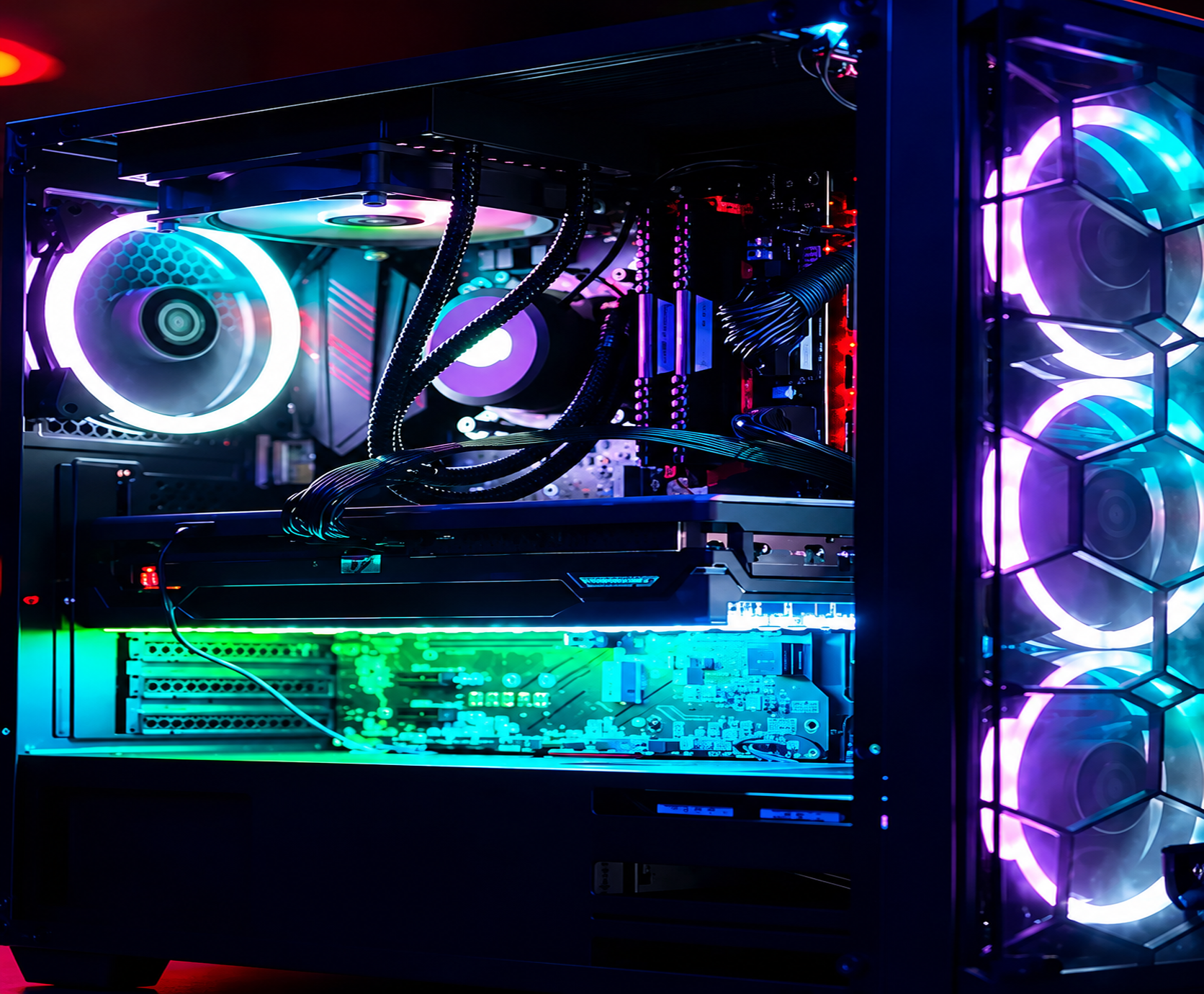
Computers generate significant heat, relying on multiple fans: including case fans, CPU coolers, graphics card fans, and power supply ventilation: to keep internal components running at optimal temperatures. Over time, dust buildup, worn-out bearings, or stray cables can interfere with these whirling blades.
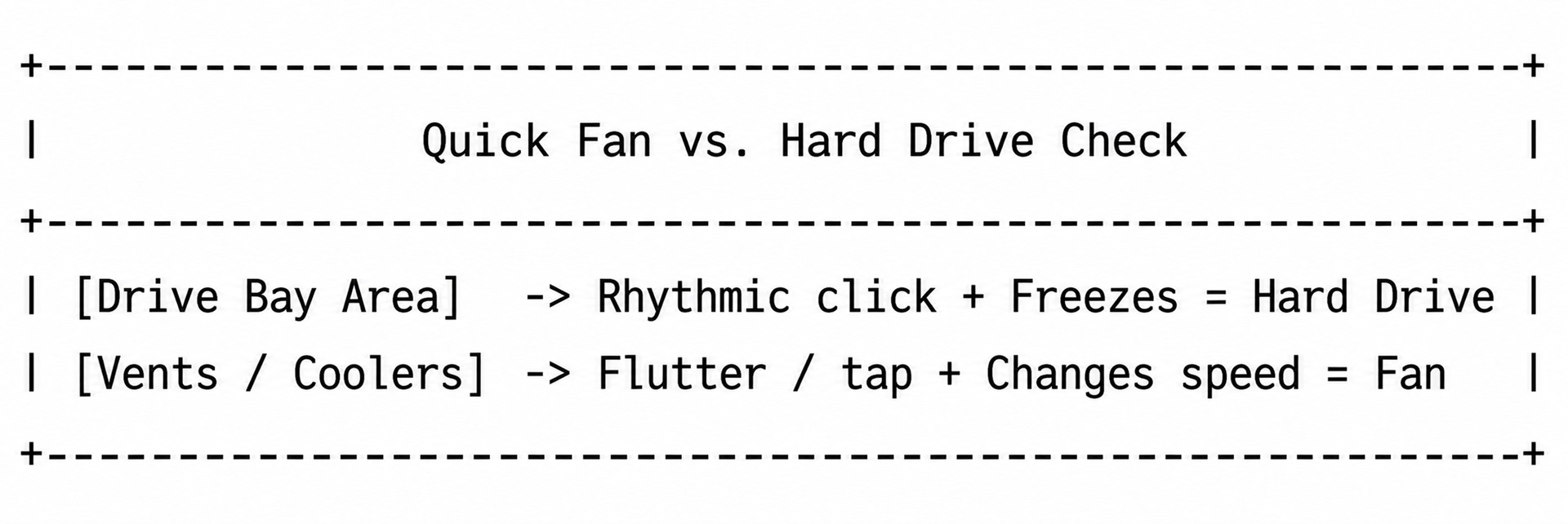
Common Fan Issues and Fixes:

  • Cables Brushing Blades: During a previous upgrade or routine movement, a loose internal power cable or SATA wire may be gently tapping against a fan blade. Rerouting and securing the cable instantly resolves the issue.
  •  Dust and Grime Accumulation: Dust bunnies can imbalance fan bearings, causing them to wobble and rattle. A thorough cleaning with compressed air often restores smooth, quiet operation.
  • Worn-Out Bearings: If a fan sounds like a buzzsaw even after cleaning and is stiff when spun manually with the power off, it’s simply time for a replacement. 

Utilize Our Expert Diagnostic Services
Troubleshooting hardware issues on your own can feel like navigating a maze blindfolded. Why stress over diagnostic error codes or risk worsening a failing drive when you don't have to? 

At Home Net Computer Repair, we pride ourselves on offering clear, upfront pricing and honest, transparent recommendations. Whether you need a lightning-fast NVMe SSD upgrade to replace an aging mechanical drive, a custom gaming rig built with top-quality parts like an ASUS TUF Gaming GeForce RTX 4090, or patient, in-person tech tutoring for seniors, we make technology accessible and stress-free.

We know your time is valuable. That’s why we offer a convenient pick-up and return service, coming directly to your home so you never have to wrestle heavy computer towers into your car. We handle every repair with the care, craftsmanship, and personalized attention we would want for our own families.

Reach Out for Stress-Free Computer Repairs Today

A clicking computer is simply asking for a little professional attention. By identifying the sound early, backing up your cherished memories, and letting experienced technicians handle the heavy lifting, you can protect your data and extend the lifespan of your technology.


Ready to give your computer the stellar care it deserves? Get in touch with Richard Mallory and our friendly team today. Let’s get your system running smoothly, quietly, and reliably once again!

August 21, 2026
It happens when you least expect it. You click a suspicious link in an email, download a file from an unverified source, or browse to a site that looks just a little too good to be true. Suddenly, your screen freezes, warning pop-ups flood your display, and a cold wave of dread washes over you: Did a virus just completely destroy my computer? If you are currently holding your breath wondering whether your machine is toast, take a deep breath. At Home Net Computer Repair , our family-owned team has seen it all. As your knowledgeable neighborhood tech experts, we are here to clear away the fear, separate internet myths from engineering facts, and provide you with a stress-free, crystal-clear understanding of what malware can: and cannot: do to your precious hardware.
August 19, 2026
There is nothing quite like the rush of diving into your favorite title after a long week, only to have your screen freeze or your system drop straight to the desktop right as you reach the climax of an intense match. If you have ever asked yourself, "Why is my PC crashing during games?" you already know how frustrating sudden black screens, unexpected reboots, and game freezes can be. When your system handles web browsing and office apps just fine but struggles the moment you fire up a graphically demanding game, it feels like an elusive mystery. At Home Net Computer Repair, we believe your gaming time should be a seamless, stress-free escape: not a technical puzzle. As your trusted local technology partner serving families, gamers, and professionals across the region, we see this issue frequently. Whether you are gaming in Seattle, Bellevue, Redmond, or right down the street, we are here to help you get back to peak performance with our hassle-free pick-up and return service and expert diagnostics. Let's explore the top causes of game crashes and discover how you can restore stability to your rig.
August 18, 2026
Are you staring at your screen while an application freezes, wondering why your machine is stuttering just when you need it most? Perhaps you are planning a brand-new custom rig for modern AAA gaming or heavy 4K video editing, and you find yourself paralyzed by hardware specifications. With technology evolving at a breakneck pace, figuring out the exact amount of Random Access Memory (RAM) required for your specific workflow can feel like navigating a maze. Here at Home Net Computer Repair, we believe that upgrading your technology should be an exciting, stress-free milestone rather than a frustrating guessing game. As a family-owned team serving our local communities: from Seattle to Bellevue , Kirkland , and Redmond : we are dedicated to providing honest, transparent guidance. Let us walk you through our comprehensive, no-nonsense guide for 2026 so you can achieve peak performance without spending a dime on hardware you do not need.
August 17, 2026
Are you standing at the digital crossroads, staring at shiny prebuilt rigs on one tab and a cart full of dazzling components on the other, wondering which path leads to your ultimate gaming sanctuary? You are certainly not alone. Whether you are stepping up from a tired old laptop or preparing for the release of the year’s most demanding AAA title, the eternal debate between building your own rig or buying a prebuilt system is enough to cause any gamer a bit of hesitation. At Home Net Computer Repair , we believe that technology should be an exciting extension of your passions: never a source of stress. As your knowledgeable neighborhood tech experts, we’ve guided countless local gamers through this exact dilemma. Let’s dive into our comprehensive comparison of building versus buying, so you can make a confident, stress-free choice tailored to your exact needs, budget, and lifestyle.
August 14, 2026
There are few moments in your daily routine quite as heart-stopping as pressing the power button on your computer, only to be met with complete silence, an endless black screen, or a frustrating loop of error messages. Whether you rely on your machine for crunching spreadsheets, crafting digital masterpieces, or unwinding with your favorite game after a long week, a computer that refuses to boot can throw your entire day off balance. You might find yourself asking: Is this the end of my machine, or is it a simple fix? Take a deep breath. At Home Net Computer Repair , we know how stressful technology glitches can feel. As your trusted, family-owned neighbor in the Pacific Northwest, we are committed to making tech less stressful and more accessible for everyone. Before you panic or assume you need an entirely new rig, let’s walk through five comprehensive troubleshooting steps to help you diagnose and conquer the startup blues.
August 13, 2026
Navigating the modern digital landscape can sometimes feel like walking through a bustling, confusing marketplace. Every time you open your tablet or computer, you are greeted by an overwhelming stream of headlines, breaking news alerts, and viral stories shared by friends and family. While the internet is an unrivaled tool for staying connected with loved ones, learning new hobbies, and exploring the world, it also comes with its fair share of digital noise and misinformation. At Home Net Computer Repair , we believe that technology should empower you, not stress you out. As a family-owned business deeply rooted in our community, we talk every day with wonderful seniors who want to enjoy the web with complete peace of mind. That is why we have put together this comprehensive, stress-free guide to help you cultivate digital literacy, separate fact from fiction, and browse the web with absolute confidence.
August 12, 2026
Have you ever stared at your computer screen, watching the dreaded spinning wheel while wondering what would happen if your hard drive decided to call it quits today? We have all been there. Whether it is a lifetime of precious family photographs, crucial tax documents, or critical work spreadsheets scattered across your desktop, the fear of losing your digital life can be deeply stressful. At Home Net Computer Repair , we believe technology should feel like an empowering tool, not a constant source of anxiety. Serving our wonderful communities across the greater Puget Sound region: from Seattle and Bellevue to Kirkland, Bothell, and beyond: we meet wonderful neighbors every day who want a simpler, more secure way to manage their files. That is where cloud storage comes in. In this comprehensive guide, we will demystify the cloud, explore how it works, and show you how to harness this premier technology for a truly seamless, hassle-free digital experience.
August 11, 2026
Are you tired of staring at the spinning loading wheel every time you boot up your computer, launch your favorite game, or open a demanding video-editing project? It is a frustrating scenario that many homeowners, gamers, and small business owners face daily. When your system starts lagging, the culprit is often your storage drive. But here is the burning question: when your computer cries out for better performance, should you replace your existing solid-state drive (SSD) entirely, or is a simple capacity upgrade the right move? At Home Net Computer Repai r, we believe that upgrading your technology should feel like an exciting breath of fresh air, not a stressful guessing game. As your friendly neighborhood tech experts, we are here to demystify the hardware maze and provide honest, transparent guidance tailored to your specific needs and budget. Let’s explore how you can achieve peak performance and enduring quality without the hassle.
August 10, 2026
When your trusted desktop or laptop reaches the milestone of five years, a familiar feeling of anxiety often creeps in. You press the power button, watch the loading circle spin just a little bit longer than it used to, and ask yourself the ultimate question: Is it time to invest in a repair, or am I just throwing good money after bad? Here at Home Net Computer Repair , we talk with homeowners, gamers, and local business owners facing this exact crossroads every single day. As a family-owned team dedicated to transparent, topquality service across Seattle and Bellevue , we believe you deserve an honest, straightforward answer. Let’s dive into our premier, comprehensive guide on evaluating your five-year-old machine so you can make the absolute best choice for your budget and productivity.
August 7, 2026
Few moments in the digital age induce quite the same level of sudden panic as pressing your power button only to be greeted by a black screen, an endless boot loop, or an ominous error message. When your storage drive gives up the ghost, your first thought is rarely about hardware architecture, it is about your irreplaceable family photos, critical tax documents, bespoke video editing projects, and years of cherished memories. If you are currently facing this heart-dropping scenario, take a deep breath. You might be asking yourself: Can you recover files from a dead SSD? The short answer is a resounding yes in many cases, but the path to recovery depends heavily on whether your drive is experiencing a logical glitch or a catastrophic hardware failure. At Home Net Computer Repair, we believe that technology should empower your life rather than stress you out. As your knowledgeable neighborhood tech partner, we are here to provide clear, honest guidance, transparent pricing, and stellar, stress-free solutions. Let's walk through how to diagnose the situation, what you can safely do at home, and when it's time to let our dedicated family team step in with our premier pick-up and return service.